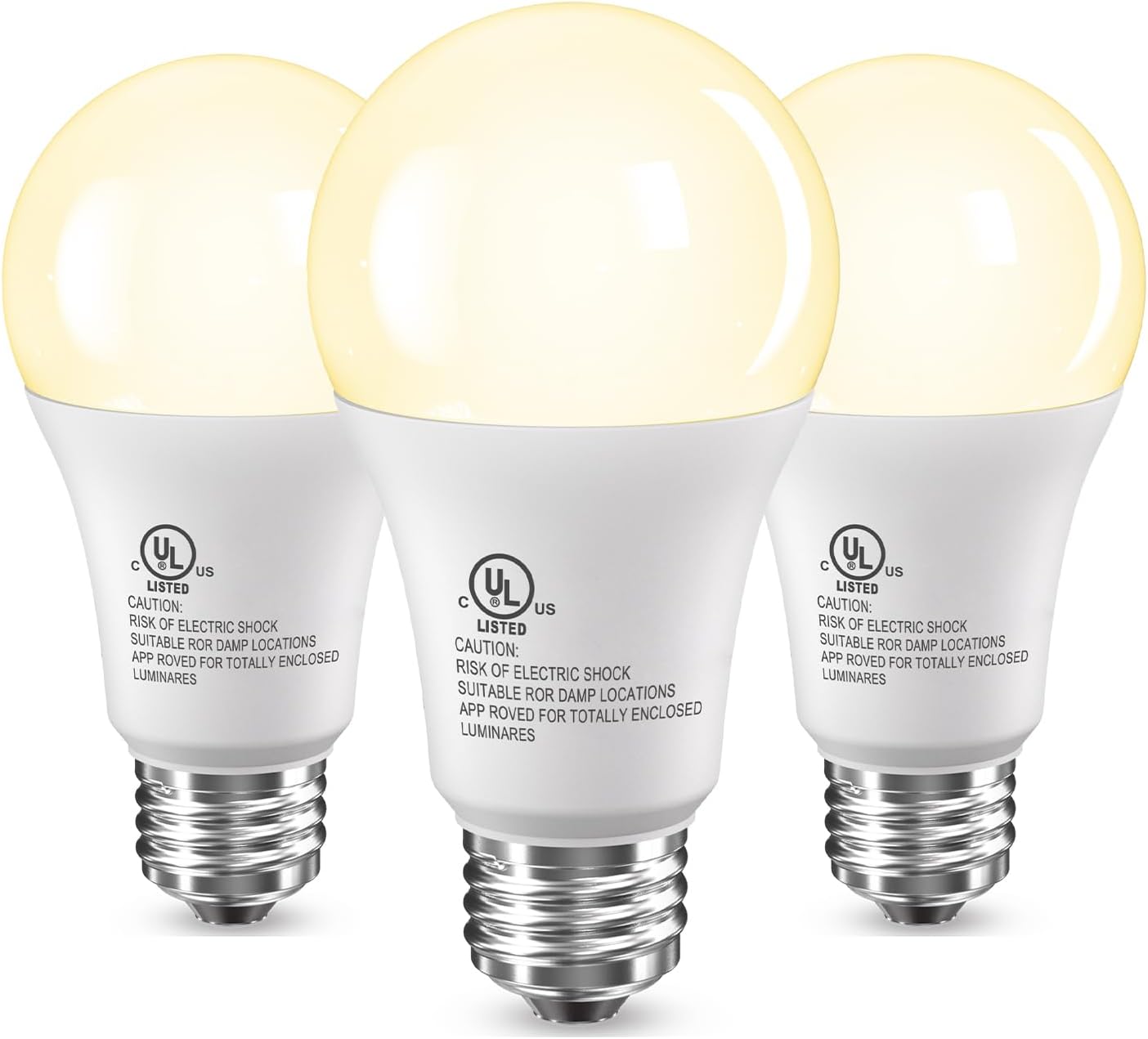
TJOY Smart Light Bulbs – Living Room Color Changing Decor, 16M RGB Alexa Compatible Lamp Upgrade
TJOY Smart Light Bulbs – Living Room Color Changing Decor, 16M RGB Alexa Compatible Lamp Upgrade
Couldn't load pickup availability
Why you'll love it
- No hub required—just screw in, connect to 2.4GHz WiFi, and control via app or voice
- One bulb replaces multiple needs: 16M RGB colors, tunable white, and 800-lumen daily lighting
- 80% energy savings versus 60W incandescent at only 9W consumption
- Music sync and preset holiday scenes turn ordinary rooms into entertainment spaces
- High CRI 90 and eye-friendly light source reduces visual fatigue for long indoor use
- Multi-pack value (2/3/4/6/10 packs) lets buyers outfit multiple rooms affordably
- Brightness reminiscent of old 100-watt incandescent bulbs
- Low electricity consumption, especially helpful when lights are left on accidentally
- Good price-to-quality ratio
- Energy efficiency / low electric usage when left on
- Flickering before burnout as a warning sign before failure
- Good match to existing bulbs' color and brightness
- Decent price point
- Better than great price compared to quality
Perfect for
- Hands-free voice-activated daily lighting via Alexa or Google Assistant
- Setting holiday-themed mood lighting for Christmas, Halloween, or parties via preset scenes
- Music-reactive color sync for gaming sessions, workouts, or social gatherings
- Automated bedtime and sunrise routines with timer and group control
- Tunable white light for reading (cool 6500K) or relaxing (warm 2700K) throughout the day
- Outdoor porch lighting at night
- Living area lamp lighting replacement
- Use in protected outdoor fixtures
- Replacing incandescent 100 watt bulbs
- Using outside in protected fixtures
- Changed all living area lamps to these bulbs
Frequently Asked Questions
Do these bulbs actually look good in a styled living room or are they just tech gadgets?
They look like premium fixtures out of the box because the 800 lumen output, high CRI 90 rating, and tunable white range from 2700K to 6500K let you match the warm tones of designer lamps or shift to crisp daylight. The A19 shape is a standard size that fits most lampshades and pendants without bulging or looking oversized, so your decor stays the star.
Can I match these bulbs to my existing warm white lamps and chandeliers?
Yes. Set them to 2700K and they blend right in with most incandescent, Edison, or warm LED bulbs in open-concept spaces. You can also group them in the Daybetter app so an entire room shares one cohesive color temperature and dim level.
Will the 16 million colors actually look like a moody accent or just bright and cartoony?
The color saturation is smooth and the dimming range goes low enough for cinematic accent lighting, so deep purples, ambers, and forest greens look rich rather than neon. The 800 lumen baseline also means saturated colors stay readable instead of washing out the room.
Can I set a different color for the hallway, bedroom, and dining room and switch between scenes?
Absolutely. The Daybetter app lets you group bulbs by room and save presets, so tapping a single 'Dinner Party' or 'Cozy Evening' scene can change every room at once. You can also pull up Christmas, Halloween, or romantic presets without touching the wall switches.
Do the bulbs work in decorative fixtures like vintage cage pendants or exposed socket sconces?
Yes, the A19 E26 base is the most common household socket and fits exposed bulb fixtures, pendants, sconces, and standard table lamps. The bulb profile is clean and neutral so it does not clash with vintage or farmhouse decor styles.
I want a cozy Scandinavian bedroom look. Will these bulbs work?
Perfect match. Dial the color temperature to 2700K for that hygge warm glow, set it to 60 percent brightness, and the room reads as soft and layered. Add a slow color scene in the app for evenings and your bedroom feels like a styled retreat without buying new fixtures.
Can I dim them from my couch without installing a dimmer switch?
Yes, dimming is built into the bulb and controlled through the app, voice, or preset scenes. You do not need a special dimmer switch and using one on the wall can actually cause flicker, so leave the switch on and dim through the app for best results.
How do these compare to LIFX or Philips Hue for decorative lighting?
TJOY gives you the same 16 million colors, tunable white, and voice control for a fraction of the price, and there is no hub to buy. LIFX and Hue have more advanced ecosystem integrations, but for ambiance and color scenes in a typical home, TJOY delivers 90 percent of the look at a much friendlier budget.
Do these look better than a regular smart bulb from a design standpoint?
They use a clean A19 shape with even light distribution and no harsh hot spots, which most reviewers say looks cleaner than budget smart bulbs. The color mixing is smooth so you do not see the individual red, green, and blue diodes when used in open fixtures.
Will the bulb look out of place in a clear glass table lamp?
Not at all. The A19 form factor mirrors the shape of a classic incandescent bulb, so it reads as a normal light source in a clear glass lamp. White and pastel scenes look especially clean through frosted or clear glass.
I am worried the colors will look tacky or cheap in my home.
That is a fair concern with budget RGB bulbs, but reviewers consistently mention that the colors are saturated and the whites stay clean rather than looking blue or green tinted. Stick to the preset lifestyle scenes for the most polished look.
Is this worth it just for everyday white lighting in a decorated home?
Yes, the tunable white range alone makes it a strong upgrade from a standard bulb. You get the right warmth for dinner and the right crispness for morning routines in one bulb, and you still unlock color scenes whenever you want to change the mood.
How do I set up the TJOY smart bulb for the first time?
Screw the bulb into any standard E26 socket and turn on the wall switch. Download the Daybetter app, create an account, make sure your phone is connected to a 2.4GHz WiFi network, and tap the plus icon to add a device. The app will detect the bulb over Bluetooth, prompt you to enter your WiFi password, and finish pairing in about 60 to 90 seconds per bulb.
How do I connect the bulb to Alexa or Google Assistant after setup?
In the Daybetter app, open Settings for the bulb, choose 'Voice Services,' and link your Alexa or Google account. Then say 'Alexa, discover devices' or 'Hey Google, sync my devices.' The bulb will appear in your smart home app and you can rename it by room, for example 'Bedroom Lamp' or 'Office Ceiling.'
How do I reset the bulb if it stops responding or I change WiFi networks?
Turn the wall switch on and off five times in a row with about one second between each toggle. The bulb will start flashing quickly, which means it is in pairing mode. Open the Daybetter app and re add the bulb to your new 2.4GHz network.
Does this bulb work with Apple HomeKit or SmartThings?
The bulb is designed to work with the Daybetter app, Alexa, and Google Assistant. It does not currently support Apple HomeKit or Samsung SmartThings directly. You can still control it through Alexa or Google, which work alongside most Apple devices via voice.
Will it work with my 5GHz WiFi router?
Smart bulbs need a 2.4GHz WiFi signal, which almost every modern router broadcasts alongside 5GHz. If your phone connects to 5GHz by default, switch to the 2.4GHz band during setup and then return your phone to its normal network.
What is in the box when I order the 4 pack?
You receive four TJOY A19 E26 smart LED bulbs in retail packaging, a quick start guide, and access to the Daybetter app. You will need to supply your own lamp, fixture, or lamp socket. A 2.4GHz WiFi network and a smartphone running iOS 9 or Android 5 or later are required.
Is it safe to leave these bulbs on for long periods?
Yes, the bulbs are FCC and UL certified, rated for 25,000 hours of use, and generate very little heat compared to incandescent bulbs. They are designed for daily extended use in living areas, bedrooms, and home offices, and the 1 year warranty covers any manufacturing defects.
What happens if the WiFi goes out? Can I still turn the light on?
Yes, the bulb still functions as a standard light when WiFi is unavailable. Use the wall switch to turn it on and off, and the bulb will remember the last color and brightness setting. Once WiFi returns, scheduled routines and voice control resume automatically.
What is the difference between a smart bulb and a regular LED bulb?
A regular LED bulb is on or off at one fixed color temperature. A smart bulb connects to WiFi and gives you app control, voice control, dimming, color changes, scheduling, music sync, and group control, all without needing a separate hub in this case.