Clever Fox Password Book – Home Office Password Organizer with A-Z Tabs for Fast Lookup
Clever Fox Password Book – Home Office Password Organizer with A-Z Tabs for Fast Lookup
Couldn't load pickup availability
Why you'll love it
- Offline storage eliminates the risk of cloud password manager data breaches
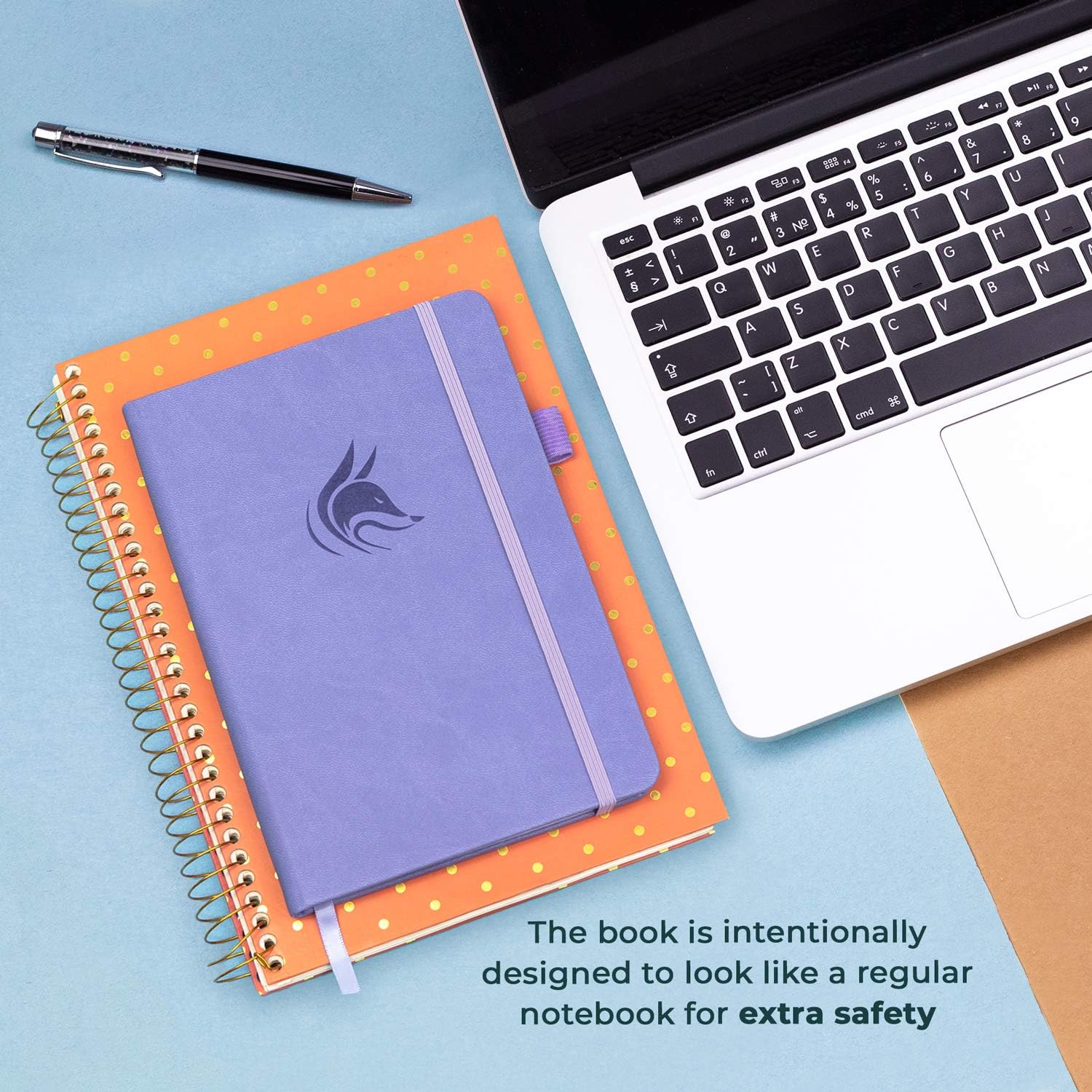
- Anonymous cover design keeps the book's purpose hidden from houseguests or thieves
- Alphabetical A-Z tabs save time versus scrolling through a phone or spreadsheet
- Premium eco-leather and 120gsm paper feel substantial without a high price tag
- No subscription fees, app updates, or battery dependency unlike digital alternatives
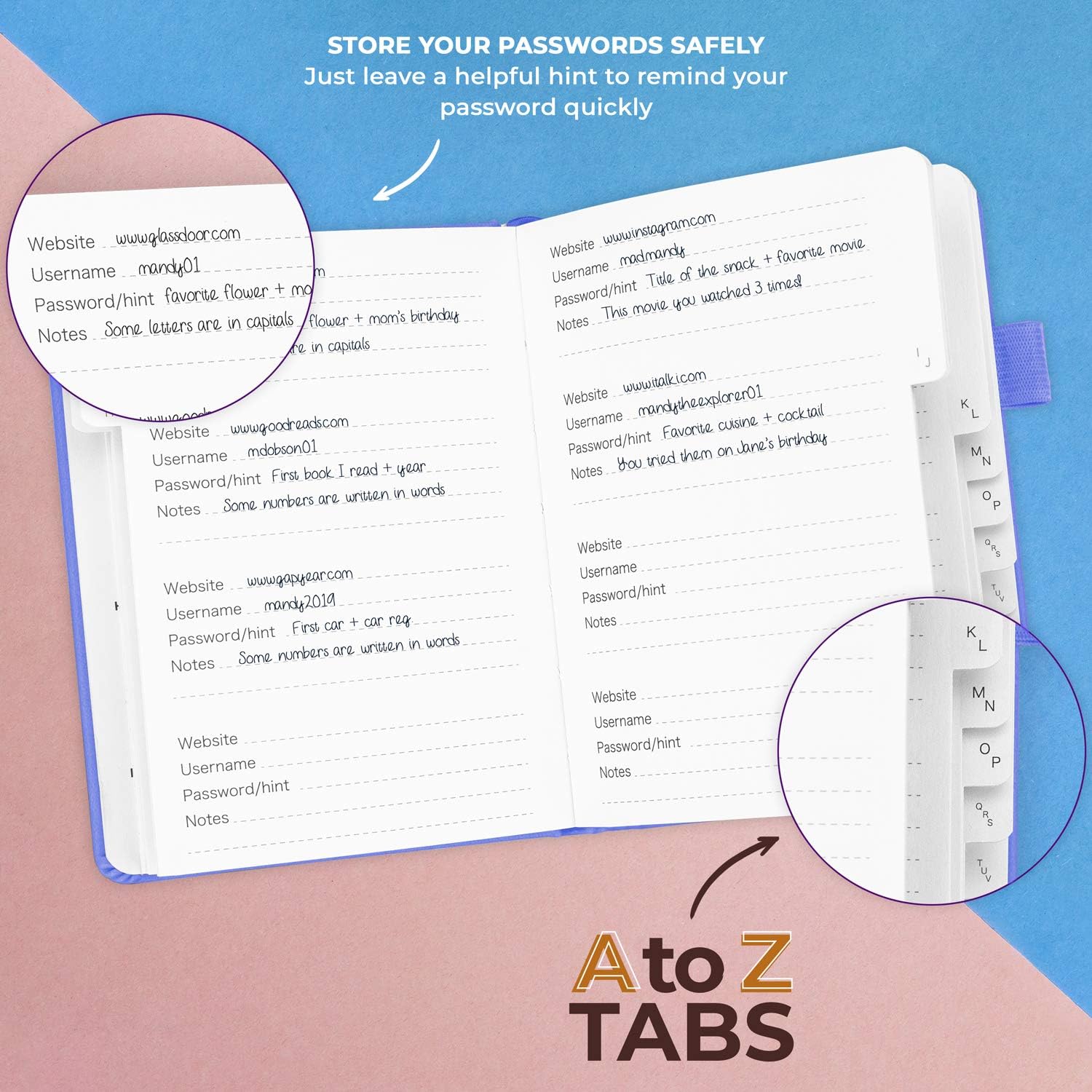
- Hint-only fields add a layer of security even if the physical book is found
Perfect for
- Centralizing all website logins in one offline, hack-proof location
- Storing Wi-Fi passwords, router settings, and email account credentials
- Recording software license keys and subscription renewal dates
- Gifting a secure, thoughtful organizer to a parent or older relative who forgets passwords
- Serving as a non-digital backup to apps like LastPass or 1Password
NEVER FORGET A PASSWORD AGAIN - Password journal will help you create secure passwords and keep them safe and organized. This password book allows you to store all your passwords and other computer information in one place to find it easily.
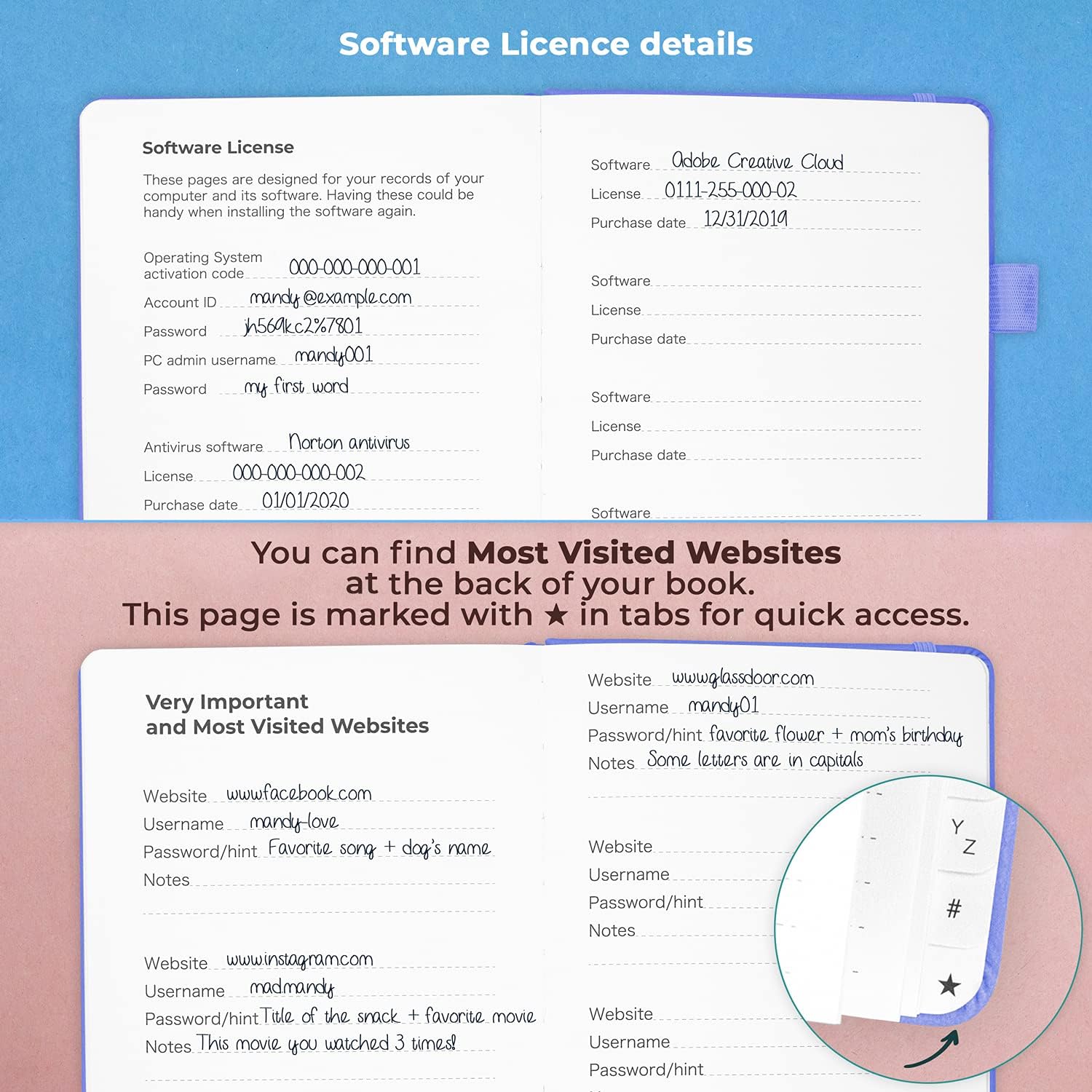
ALPHABETICAL A-Z TABS - Alphabetic tab system makes it easy to find any password you need. The book also has sections for most important passwords, wireless & email settings, software license information & additional notes.
ELEGANT, SMART, PRACTICAL & SECURE PASSWORD ORGANIZATION - This password keeper book has been designed to be anonymous without an obvious title on the cover. For added security there is space to write hints instead of the password itself.
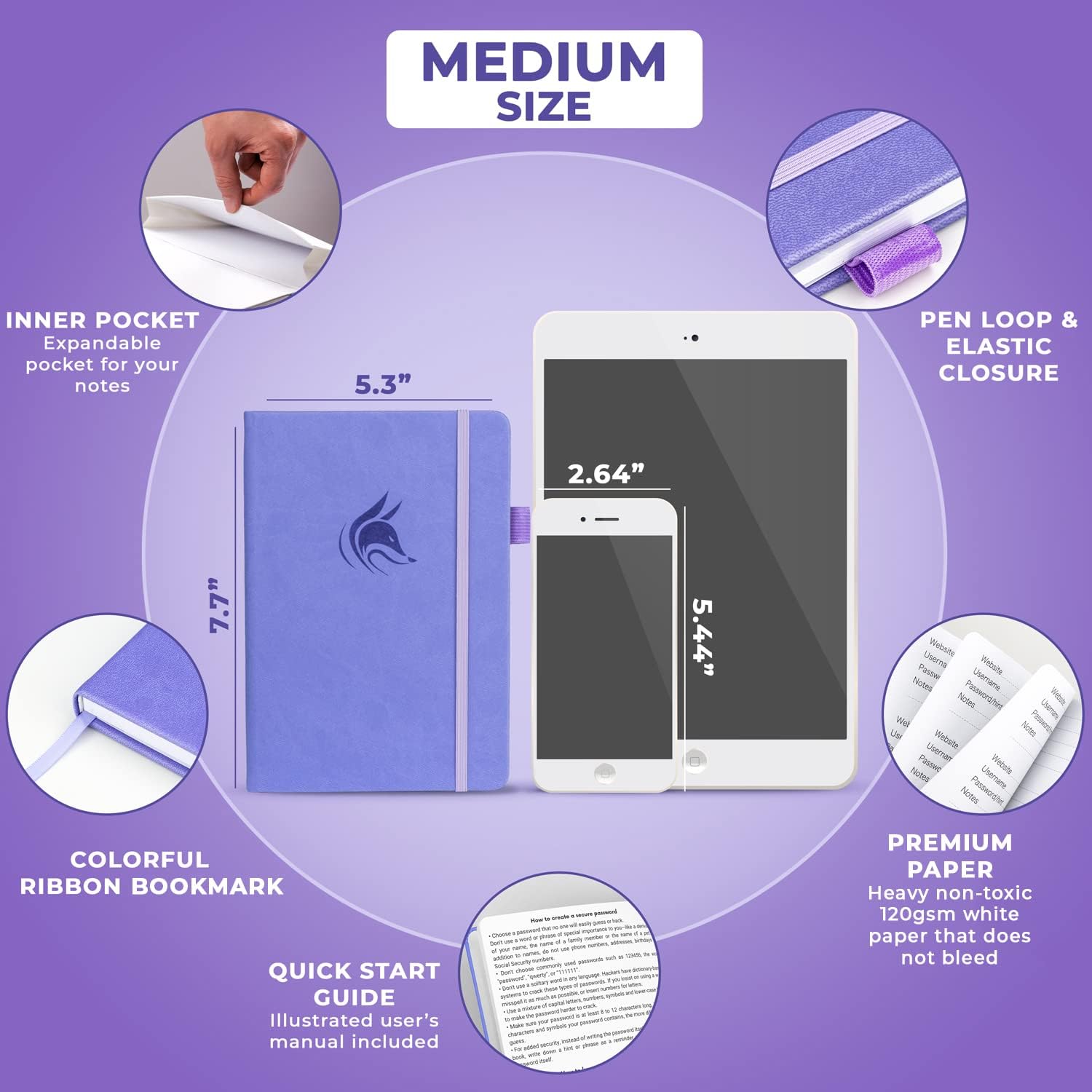
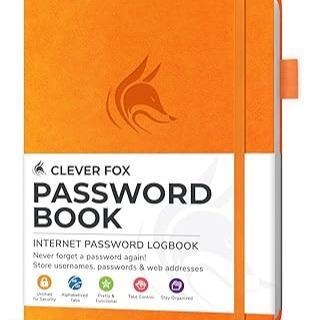
MEDIUM SIZE & PREMIUM QUALITY - This internet address and password logbook with tabs comes in medium size (5.3x7.7 inches). The password notebook has an eco-leather hardcover, elastic band, pen loop, bookmark, pocket for notes, and thick 120gsm paper.
Frequently Asked Questions
How does this book save me time compared to resetting forgotten passwords?
Most users spend 5 to 15 minutes per forgotten password on reset emails, security questions, and re-logins. The Clever Fox Password Book's alphabetical A-Z tabs let you locate any login in seconds, recovering that lost time every single day.
Can I organize software license keys and renewal dates in this book?
Yes. The book includes a dedicated section for software licenses with fields for the product name, key, purchase date, and renewal date. You can see at a glance which subscriptions are coming due and avoid unwanted auto-renewals.
Will this help me keep track of Wi-Fi and router settings?
Yes. The dedicated wireless and email settings section has labeled fields for SSID, router password, admin URL, and email configuration. It is especially useful after a technician visit when settings have been changed.
Does this book work well for someone managing dozens of accounts?
It is built exactly for that use case. With alphabetical tabs, multiple entries per letter, and dedicated sections for licenses and network settings, the book scales to dozens or even hundreds of logins without becoming disorganized.
Can I use it to store work-related credentials separately from personal ones?
Yes. Many users dedicate the first half of the book to work logins and the second half to personal accounts. The hint-only fields also let you color-code or tag entries with simple symbols like an asterisk for work-related items.
Is this a good productivity tool for a home office?
It is one of the highest-utility items you can place on a home office desk. Combined with the pen loop, ribbon bookmark, and elastic closure, the book becomes a frictionless reference tool that you can flip open with one hand during a call or task.
How does this compare to a spreadsheet for tracking passwords?
A spreadsheet requires a device, an internet connection in some cases, and manual filtering to find a record. The Clever Fox Password Book requires no booting up, no software, and no scrolling. The A-Z tabs put every login one flip away.
How does this compare to using the Notes app on a phone?
Phone notes are searchable but unsecured, often auto-synced to the cloud, and easy to view if someone picks up your unlocked phone. The book is private, offline, and visually organized by tab rather than by a single long list.
How does this compare to a browser-stored password manager?
Browser password managers only work inside that browser, often fail to sync across devices, and can be cleared with a single browser reset. The Clever Fox Password Book is platform-independent, works on any device that has a login, and cannot be wiped by accident.
Will I waste time filling out the entire book at once?
Most users fill in 5 to 10 critical logins on day one and add new entries as they log in to other accounts. The book is designed for incremental use, not a single marathon session.
Does the alphabetical tab system really save time?
Yes. Compared to scrolling through a spreadsheet or a notes app, flipping to a tab takes roughly one second. Across dozens of lookups per week, this compounds into significant time savings.
Can I track subscription costs and renewal dates in this book?
Yes. The software license section includes dedicated fields for renewal date, cost, and billing cycle. You can review upcoming renewals monthly and cancel unwanted subscriptions before they auto-charge.
Does the ribbon bookmark help with quick access?
Yes. The built-in ribbon lets you mark your most-used page, your current to-do list, or the last account you updated, so you can return to it instantly without re-tabbing.
Is the back pocket useful for storing related items?
Yes. The back pocket is ideal for storing Wi-Fi cards, two-factor recovery codes printed on paper, business cards with account numbers, or small receipts tied to subscriptions.
Will this book help me reduce subscription clutter?
Indirectly, yes. When you see all your subscriptions and renewal dates in one place, you can quickly identify which ones you no longer use and cancel them, simplifying both your finances and your account list.
Is this book suitable for someone who manages passwords for a family?
Yes. You can dedicate one tab to a spouse, one to children, and one to shared household accounts like streaming, utilities, and insurance. It centralizes the entire family's logins in a single offline resource.
How do I set up the password book when it arrives?
Open the elastic band, flip to the first page, and start filling in your most important logins using the alphabetical tabs as your guide. There is no app to install, no account to create, and no setup wizard. You can begin using it within minutes of unboxing.
What is the best way to fill in the hint-only fields?
Write a clue that would trigger your memory but mean nothing to anyone else. Examples include 'first pet + graduation year,' 'mom's maiden name backward,' or 'favorite teacher + locker combo.' Avoid writing the full password or anything searchable on social media.
Should I number my entries or use any coding system?
You can, but it is not required. Many users simply enter accounts alphabetically by site name. If you have multiple accounts under one letter, the book provides multiple lines per letter so order is not an issue.
Does this book fit standard pens or only specific sizes?
The built-in pen loop is designed for standard-sized ballpoint, gel, and rollerball pens. It will not fit oversized markers or thick multi-pens, but most everyday writing instruments slide in and out easily.
Is the paper thick enough for fountain pens?
The 120gsm acid-free paper handles most fountain pens without significant bleed-through, though very wet nibs may show minimal show-through. Ballpoint and gel pens perform best.
What is included in the box?
You receive one Clever Fox Password Book with alphabetical A-Z tab dividers, an eco-leather hardcover, an elastic band closure, a built-in pen loop, a ribbon bookmark, and a back pocket for loose notes. A pen is not included.
Do I need to buy anything else to start using the book?
Just a pen. Everything else you need is built into the book itself. Some users also purchase a small lockbox or drawer organizer for added physical security, but it is optional.
Is the paper safe from ink fading over time?
Yes. The 120gsm acid-free paper is specifically chosen to resist yellowing and ink degradation. With normal use and storage away from direct sunlight, your entries will remain legible for many years.
Can the book be used in humid environments like a bathroom?
It is best stored in a dry location such as a desk, drawer, or shelf. Long-term exposure to high humidity can warp the cover and pages. A linen closet or bedside drawer is ideal.
What is the difference between a password book and a password manager app?
A password book is a physical notebook where you write down your login information by hand. A password manager app is software that stores your credentials in an encrypted digital vault. The book is offline, free to use, immune to hacking, but lacks auto-fill. The app offers auto-fill and cross-device sync but requires a subscription, a device, and trust in the provider's security.